Commercial Payer Credentialing Packet: Build One Source File Before Applying
Build a reusable commercial payer credentialing packet from authoritative source documents so each application starts from current facts instead of the last payer form.
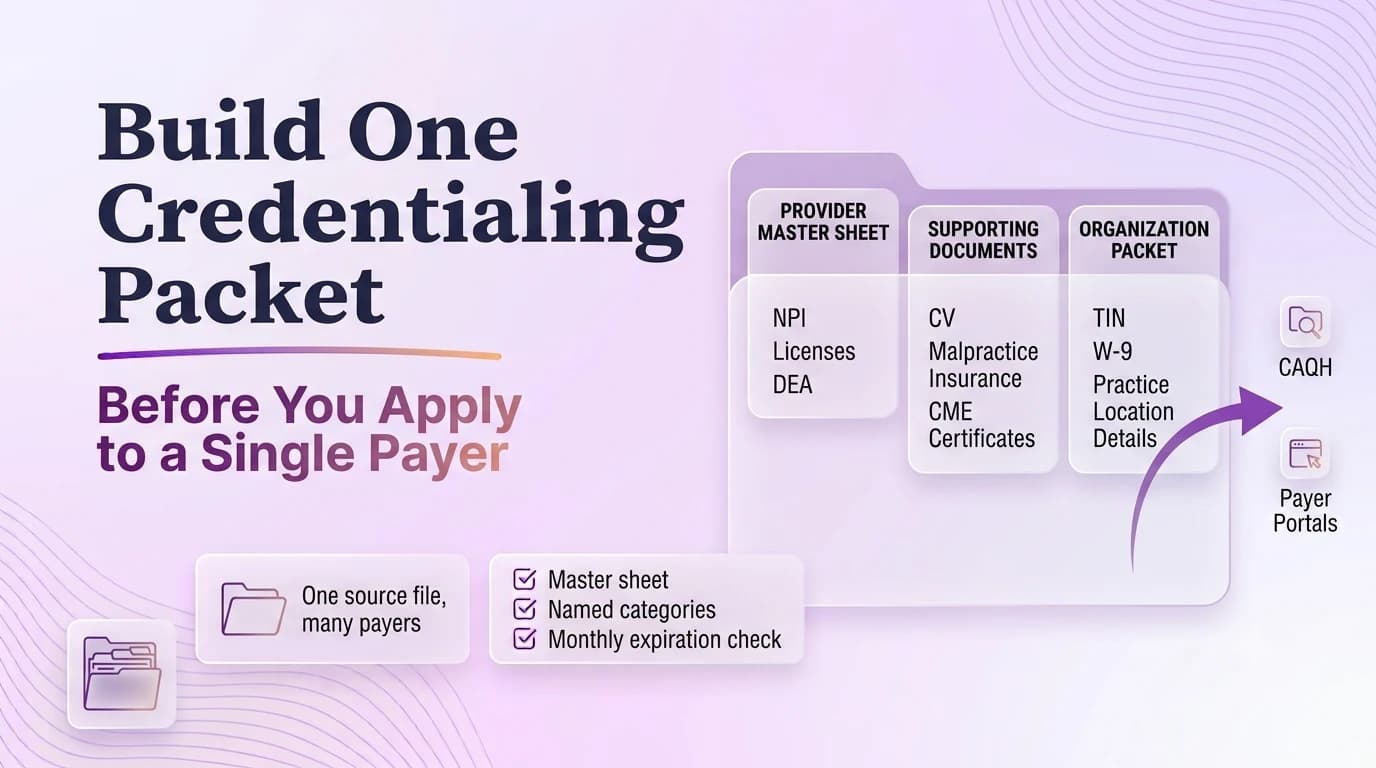
A commercial payer packet should save rework without becoming a stale template. The safest packet is a source file: current identity data, licenses, education and work history, malpractice coverage, ownership and tax documents, locations, disclosures, and the organization relationship the clinician will use. It is not a folder of old payer applications. Old forms contain useful history, but they also preserve old addresses, expired documents, product-specific answers, and wording that may no longer be true. Build the packet so a coordinator can answer a new portal from authoritative records, then record any payer-specific exception separately. That approach also makes CAQH maintenance easier because the same source file supports both shared profile data and direct payer requests.
Split the packet into individual, organization, and relationship evidence
Commercial payer credentialing commonly asks for overlapping provider identity, licensure, education/training, work history, practice, liability, sanction, and organization information.
CAQH can centralize much of the provider data, but payers may request their own forms or source documents.
The source packet should be updated before each payer batch so repeated submissions do not multiply inconsistencies.
Use three folders or sections. The individual section covers the clinician’s legal name, Type 1 NPI, taxonomy, licenses, education, training, work history, malpractice, board status when relevant, DEA or controlled-substance records when applicable, and disclosure material. The organization section covers legal business name, TIN, Type 2 NPI if applicable, W-9, ownership, authorized officials, EFT information when legitimately requested, and service locations. The relationship section explains how the clinician connects to the organization: employment or contractor status, group affiliation, intended billing entity, locations, and products. This structure makes it harder to submit individually correct facts that do not make sense together.
Create a controlled identity sheet before collecting attachments
The legal entity file and individual clinician file should be separated but linked.
A payer-specific requirement should be documented as an exception rather than silently changing the master data.
The packet is not a pile of PDFs. It is a controlled source of truth with dated evidence behind every repeated answer.
The identity sheet should be short enough to review before every submission. Include the exact legal names, NPIs, TIN, tax entity, primary taxonomy, payer-facing specialty, practice and mailing addresses, contact information, and the source document for each value. If the practice uses a DBA, list it separately from legal business name. Mark the last verification date rather than treating the sheet as permanent. Before a payer application begins, the coordinator compares NPPES, the W-9, licenses, and organization records against the sheet. Any mismatch gets resolved upstream before the data is copied into another portal. This five-minute step prevents a large share of avoidable validation errors.
Build a date-sensitive professional document set that can be refreshed cleanly
Keep professional documents in a date-aware inventory. The filename should identify provider, document type, and expiration or effective date where useful. Maintain the current copy plus prior versions when historical dates may matter. A packet can be “complete” yet unusable if a license or malpractice certificate expires during credentialing. Add an early-renewal flag for documents likely to age out while the payer is processing. For multi-state clinicians, separate state-specific licenses and controlled-substance records so one state is not accidentally attached to another application. The reviewer should be able to see at a glance which documents are current for the exact jurisdiction and location being requested.
Prepare chronology and disclosure answers from facts, not copied narratives
Letting every coordinator maintain a personal copy of the provider CV. A copied prior application is especially risky here because an old file can be internally consistent and still be wrong for the current facts.
Using different legal names, addresses, or specialty labels across payer applications. The safe response is to stop the handoff until the source evidence and submitted answer tell the same story.
Sending expired supporting documents because the source folder is not date-controlled. If one field changed, review the related identifiers, addresses, dates, and relationships instead of patching only the item mentioned in a portal message.
Overwriting a master field to satisfy one payer’s portal vocabulary. The problem is not merely cosmetic: a mismatch can change which transaction is reviewed or where the request is routed.
Chronology requires more care than document collection. Build education, training, employment, malpractice claims, sanctions, and disclosure answers from a timeline that explains gaps instead of copying text from an old portal. Dates can differ by payer format—month/year versus exact dates—but the underlying chronology should remain coherent. For disclosure questions, answer the wording actually presented and involve legal or compliance resources when interpretation is needed; do not blindly reuse a “no” from another form. Store the evidence and final narrative used for each material disclosure so future recredentialing can reproduce the history without inventing a new explanation.
Add payer-specific requirements without contaminating the master packet
Provider master sheet: Preserve the prior version when an effective-date sequence could matter in a later review.
Licenses and liability coverage: Use a filename that includes the provider or entity, document type, and the date that matters.
Organization/w-9 packet: Store it with the transaction rather than in a personal downloads folder or one coordinator’s inbox.
Payer exception log: Tie the document to the specific field or decision it supports.
Create a payer appendix rather than changing the master packet every time a portal is quirky. The appendix can note unique specialty labels, signature requirements, supplemental questionnaires, roster templates, portal credentials/roles, products, turnaround contacts, and document formats. If a plan insists on a display name different from the legal name, record that exception there. This preserves a stable source of truth while acknowledging that commercial plans do not use identical workflows. When the payer changes a rule, update the appendix and date the change. The core packet should only change when the underlying provider or organization fact changes.
Version the submitted packet so later development requests are easy to answer
At submission, create a snapshot. Save the signed application or export, exact attachments, submission confirmation, date, and tracking reference in a transaction folder. Do not overwrite that snapshot when a license renews a week later; add the new document as a subsequent development response if the payer asks for it. This gives the team a clean answer to “what did we actually send?” and makes denial or development analysis much faster. Once the payer activates the clinician, link the approval and effective date back to the source packet, but keep the activation evidence separate from the source documents that were used to apply.
Operational checklist
- Create a provider master sheet with immutable identifiers and date-sensitive fields.
- Store current supporting documents in named categories.
- Build a separate organization packet for W-9, entity, banking, ownership, and location information.
- Use the packet to populate CAQH and payer portals.
- Record payer-specific deviations in the payer tracker.
- Run a monthly expiration and change review so the packet stays reusable.
Frequently asked questions
Should old payer applications be used as the main source for a new submission?
No. They are useful historical references, but current source documents and current practice facts should control. Otherwise an old address, expired document, former owner, or obsolete disclosure answer can be copied forward.
What belongs in the organization portion of a credentialing packet?
Typically the legal business and tax identity, Type 2 NPI when applicable, W-9, ownership or authorized-official information, service locations, and other payer-required organization evidence. Keep clinician credentials in the individual section.
Why save the exact submitted packet?
Because the source file may change after submission. A frozen submission snapshot lets the office answer development requests and prove which facts and documents were represented on the application date.