CAQH Provider Data Portal: Build the First Profile From Source Documents
Build a first CAQH Provider Data Portal profile from source documents, authorize the right organizations, upload current evidence, and create a maintenance record from day one.
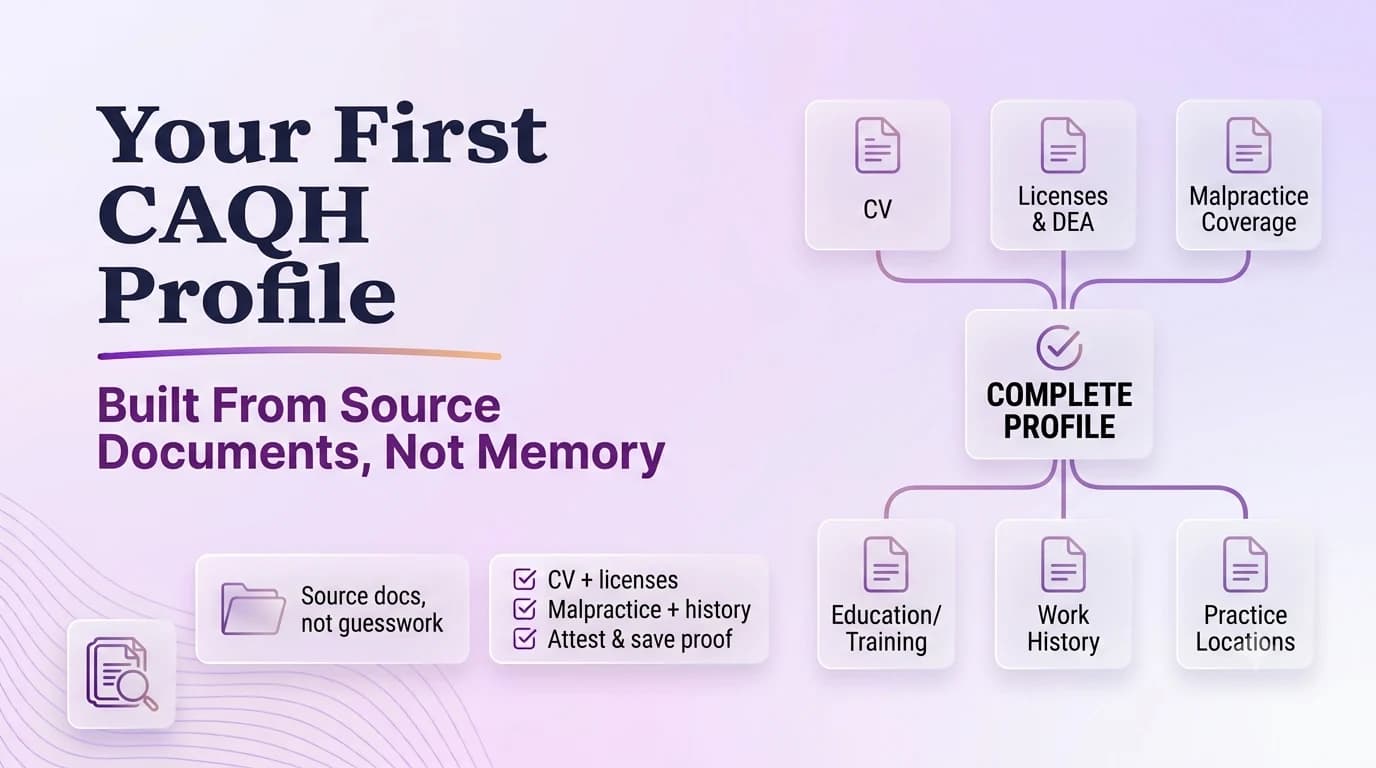
The first CAQH profile should not be treated as a long web form to finish in one sitting. It is a shared provider-data record that multiple authorized organizations may rely on, so a wrong date or stale location can spread downstream. Prepare the profile from a source packet: identity and NPI data, licenses, education and training, work history, malpractice coverage, practice locations, disclosure information, and other documents appropriate to the provider. Decide who will prepare the profile, who will review it, and which organizations may access it. The provider remains responsible for attestation. Once the profile is complete, create maintenance dates for re-attestation and document expiration instead of waiting for CAQH reminders to become the only control.
Assemble the source packet before the first CAQH data-entry session
The CAQH Provider Data Portal centralizes provider profile information used by participating organizations for credentialing and related administrative processes.
The profile includes identity, education/training, licensure, practice, work-history, hospital affiliation, professional liability, and supporting-document information depending on provider type.
Profile changes do not become a reliable credentialing record merely because they were typed; the provider must complete attestation/re-attestation.
Start with a provider intake sheet that records legal name, NPI, taxonomy, birth and demographic fields only where appropriately required, professional licenses, education, training, board or certification information where applicable, malpractice coverage, work history, references or disclosures as required, and each active practice location. Cross-check NPPES and license records before entry. If two source documents disagree, resolve the underlying fact rather than picking the version that is easiest to type. This front-loaded review is especially valuable for clinicians who have used CAQH through a prior employer because the profile may contain old contact people, old offices, or documents the new practice never saw.
Enter chronology once and resolve gaps before multiple payers see it
The activity log records profile activity after attestation.
Payer participation and authorization to access the profile still matter; CAQH does not itself create a payer network contract.
The fastest CAQH profile is built from a clean source packet. Typing first and reconciling later almost always creates more work.
Build education, training, and employment history as a chronology. CAQH can surface gaps that a payer later asks the clinician to explain, so the practice should not invent dates merely to make the timeline continuous. Use degree and training records, CV history, prior employer documentation, and the clinician’s own review to produce defensible month/year ranges. If a gap needs explanation, write a concise factual note and keep it in the source file. The same chronology can then support payer applications without each coordinator creating a slightly different work-history story. When history changes, such as a new employer start, update the master chronology first.
Treat practice locations as current operational facts, not an address archive
Only current practice locations should be represented as current locations. If the provider no longer practices at an address, follow CAQH guidance for updating the profile rather than keeping it active because a payer might remember it. For each current location, verify practice name, TIN relationship, address including suite, phone, appointment details, specialties, and other requested fields. When a health plan proposes a location for review, evaluate whether the provider actually practices there. Location data affects directories and network administration, so a harmless-looking old suite can become a patient-access problem after it propagates.
Upload documents with expiration dates that the maintenance calendar can see
Entering approximate dates that later conflict with primary-source verification. The problem is not merely cosmetic: a mismatch can change which transaction is reviewed or where the request is routed.
Uploading a document without updating the profile field that the document supports. This tends to surface later, when billing or scheduling discovers that a supposedly completed file still has an unresolved dependency.
Leaving unexplained work-history gaps. A brief second-person check before submission is usually faster than answering a development request after the fact.
Assuming a completed CAQH profile means every payer application is finished. When this happens, correct the source record first and then update the downstream copies that are actually affected.
Use a document inventory with issue and expiration dates. Upload clear current licenses, malpractice evidence, DEA or controlled-substance documents where applicable, W-9 or other requested material, and any attestation forms the platform requires. After upload, verify the document status rather than assuming the file was accepted because the browser completed the upload. Put each expiration date into the practice maintenance calendar with an early replacement reminder. The profile can otherwise shift from complete to incomplete while every narrative field remains correct. When a document renews, retain the old version in the internal archive and update CAQH with the current version.
Authorize organizations deliberately and understand what access does not mean
Licenses/registrations: Use a filename that includes the provider or entity, document type, and the date that matters.
Malpractice certificate: Store it with the transaction rather than in a personal downloads folder or one coordinator’s inbox.
Education/training records: Tie the document to the specific field or decision it supports.
Practice and work-history timeline: Record where it came from and when someone verified it.
Review the authorization section with the provider. Grant access to organizations that need the profile under the chosen authorization settings. Authorization allows the organization to retrieve the provider data; it does not mean the payer has received a separate network request, completed credentialing, offered a contract, or established an effective date. Track those payer steps outside CAQH. This distinction should be included in staff training because a provider may reasonably assume “I authorized Payer X” means the application is moving when the payer has not yet opened a case.
Complete attestation, save the evidence, and schedule the next maintenance cycle
Before attesting, use the profile summary to review the entire record rather than clicking through only the recently edited section. Complete attestation and save evidence of the date and profile status. Current CAQH guidance generally uses a 120-day re-attestation cycle, with a 180-day cadence for providers practicing in Illinois. Put the applicable date into the shared maintenance calendar and assign an owner and backup. After future edits, remember that re-attestation is needed for authorized organizations to see the updated information according to CAQH guidance. The first profile is successful when it becomes maintainable, not merely when the first attestation button is clicked.
Operational checklist
- Collect the CV, licenses, DEA or other applicable registrations, malpractice coverage, education/training, work history, and practice locations.
- Use those records as the source while entering the profile.
- Resolve date and name discrepancies before attestation.
- Upload current supporting documents with readable effective/expiration dates.
- Authorize relevant organizations when appropriate.
- Attest, save the completion evidence, and add the next maintenance date to the credentialing calendar.
Frequently asked questions
Should a practice copy the clinician’s old CAQH profile without reviewing it?
No. Treat the existing profile as a record to audit. Compare locations, work history, licenses, taxonomy, malpractice coverage, contacts, and documents with current source information before the new practice relies on it.
Does authorizing a payer in CAQH start that payer’s network application?
Not necessarily. Authorization gives an organization access to the profile under CAQH settings. The payer may still require its own network request, application, credentialing, contract, roster, or enrollment steps.
How often should CAQH be re-attested?
CAQH guidance generally calls for re-attestation every 120 days, with 180 days for providers practicing in Illinois. Use the cadence shown for the provider profile and maintain a separate internal reminder.